
AI Scheduling Assistant
Coordinate appointments, sales calls, interviews, and team meetings without the scheduling headache with an AI scheduling assistant.
Scheduling Should Not Take More Time Than The Meeting
Booking a meeting often sounds simple until calendars, time zones, busy schedules, meeting types, team availability, and last-minute changes get involved. Your team can lose valuable time emailing back and forth, checking calendars, offering alternatives, sending reminders, and updating appointments when someone needs to reschedule.
Those small tasks add up quickly, whether you are booking sales calls, client consultations, service visits, interviews, internal meetings, onboarding sessions, or recurring check-ins. Missed appointments, double-bookings, unfilled calendar gaps, and slow responses can also cost your business opportunities and create a frustrating experience for customers and staff.
An AI Scheduling Assistant helps close that gap by checking availability, applying your scheduling rules, booking the right meeting type, sending confirmations and reminders, handling changes, and keeping everyone informed without the manual back-and-forth.

How We Build Your AI Scheduling Assistant
Our structured process builds an AI scheduling assistant around your meeting types, calendar rules, team availability, and the experience you want attendees to have.

Discovery
We learn which meetings or appointments you schedule, who attends them, what causes scheduling delays, and which calendar rules, systems, and exceptions matter most.
Mapping
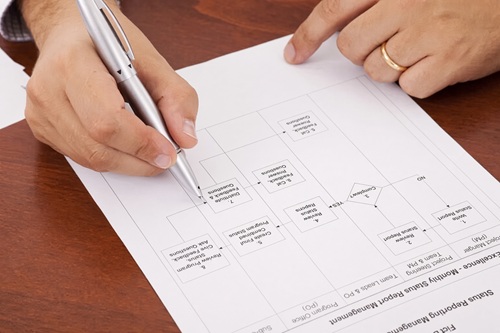
We map each scheduling workflow, including meeting types, duration, availability, buffers, time zones, team assignment, reminders, rescheduling rules, and required attendee details.

Agent Build
We build and train your AI scheduling assistant around your calendar, booking rules, team workflows, and customer experience, then connect it to the tools you already use.

Launch
We test real booking, cancellation, and rescheduling scenarios before launch, then refine the workflow as your calendar needs, team, and meeting types evolve.
Benefits Of An AI Scheduling Assistant
- Book meetings and appointments faster
- Check availability automatically
- Manage time zones and team calendars
- Handle cancellations and rescheduling
- Keep calendars accurate and updated
- Reduce calendar back-and-forth
- Prevent double-bookings and conflicts
- Send confirmations and reminders
- Collect details before a meeting
- Save your team valuable admin time
Who Needs An AI Scheduling Assistant
An AI scheduling assistant is a strong fit for businesses that spend too much time coordinating meetings, managing calendars, or responding to booking requests. If the right meeting needs to happen quickly and correctly, AI-powered scheduling can help reduce the work required to make it happen. An AI scheduling assistant may be right for your business if you:
-
Schedule frequent appointments, meetings, or calls
-
Spend too much time emailing back and forth
-
Manage multiple calendars or team schedules
-
Need to avoid double-bookings and conflicts
-
Book sales calls, consultations, or demos
-
Schedule estimates, services, or field appointments
-
Coordinate interviews or onboarding meetings
-
Need reminders to reduce missed appointments
-
Handle frequent cancellations or rescheduling requests
-
Work with clients, teams, or prospects in different time zones


Who Needs An AI Scheduling Assistant
An AI scheduling assistant is a strong fit for businesses that spend too much time coordinating meetings, managing calendars, or responding to booking requests. If the right meeting needs to happen quickly and correctly, AI-powered scheduling can help reduce the work required to make it happen. An AI scheduling assistant may be right for your business if you:
-
Schedule frequent appointments, meetings, or calls
-
Spend too much time emailing back and forth
-
Manage multiple calendars or team schedules
-
Need to avoid double-bookings and conflicts
-
Book sales calls, consultations, or demos
-
Schedule estimates, services, or field appointments
-
Coordinate interviews or onboarding meetings
-
Need reminders to reduce missed appointments
-
Handle frequent cancellations or rescheduling requests
-
Work with clients, teams, or prospects in different time zones
Why Choose Grateful Sun AI To Build Your AI Scheduling Assistant
Your calendar is not generic, and your scheduling assistant should not be either. A useful AI scheduling assistant needs to understand the types of meetings you hold, who should attend, when appointments can happen, what information to collect, and what should happen before and after a booking.
Grateful Sun AI builds AI scheduling assistants around the way your business actually operates. We focus on practical automation that makes it easier for customers, prospects, candidates, clients, and team members to book the right time while giving your business more control over availability, assignments, follow-up, and calendar workflows.
Built around your meeting types
Your AI scheduling assistant can use different rules for sales calls, consultations, service visits, interviews, internal meetings, onboarding sessions, and other appointment types.
Built around your meeting types
Your AI scheduling assistant can use different rules for sales calls, consultations, service visits, interviews, internal meetings, onboarding sessions, and other appointment types.
Connected To Your Workflow
We can build the scheduling experience around the calendars, CRM, forms, notifications, communication tools, and follow-up processes your business already uses.
Connected To Your Workflow
We can build the scheduling experience around the calendars, CRM, forms, notifications, communication tools, and follow-up processes your business already uses.
Smarter Calendar Rules
We configure availability, meeting duration, buffers, business hours, booking windows, team assignment, time zones, and conflict rules around the way your calendar needs to work.
Smarter Calendar Rules
We configure availability, meeting duration, buffers, business hours, booking windows, team assignment, time zones, and conflict rules around the way your calendar needs to work.
Tested And Improved Over Time
We test realistic booking, cancellation, rescheduling, and exception scenarios before launch, then refine your scheduling rules as your needs change.
Tested And Improved Over Time
We test realistic booking, cancellation, rescheduling, and exception scenarios before launch, then refine your scheduling rules as your needs change.
AI Scheduling Assistant FAQs
Read our frequently asked questions to get answers to common questions about AI scheduling assistants
What does an AI scheduling assistant do?
An AI scheduling assistant helps coordinate meetings, appointments, and calendar events without requiring your team to manually manage every booking. It can check availability, apply scheduling rules, suggest or confirm times, send calendar invitations, collect attendee details, send reminders, and handle rescheduling or cancellations. The exact workflow is built around the type of meetings and appointments your business needs to manage.
What types of meetings can an AI scheduling assistant schedule?
An AI scheduling assistant can be configured for many types of meetings, including sales calls, demos, consultations, estimates, service appointments, client onboarding sessions, project meetings, interviews, team one-on-ones, recurring reviews, training sessions, support calls, and multi-person meetings. Each meeting type can use its own duration, availability, calendar, questions, reminders, and assignment rules.
Can an AI scheduling assistant prevent double-bookings?
Yes. An AI scheduling assistant can check connected calendar availability and apply your booking rules before confirming a meeting. It can account for existing events, business hours, meeting duration, buffers between appointments, team assignments, and other availability limits. This helps reduce scheduling conflicts and prevents people from booking time that is not truly available.
Can it handle cancellations and rescheduling?
Yes. An AI scheduling assistant can help attendees cancel, reschedule, or request a different time based on the rules you set. It can update the calendar, notify the appropriate team member, send a new confirmation, and help keep schedules accurate when plans change. This is especially useful for businesses that manage frequent appointments, service visits, interviews, or client meetings.
Can it work with different calendars and time zones?
In many cases, yes. An AI scheduling assistant can be configured around the calendar tools your business uses and can account for time zones when coordinating meetings with clients, prospects, candidates, or team members in different locations. Available connections depend on your existing calendar and workflow tools, so we review your setup before recommending the best approach.
AI Scheduling Assistant FAQs
Read our frequently asked questions to get answers to common questions about AI scheduling assistants
What does an AI scheduling assistant do?
An AI scheduling assistant helps coordinate meetings, appointments, and calendar events without requiring your team to manually manage every booking. It can check availability, apply scheduling rules, suggest or confirm times, send calendar invitations, collect attendee details, send reminders, and handle rescheduling or cancellations. The exact workflow is built around the type of meetings and appointments your business needs to manage.
What types of meetings can an AI scheduling assistant schedule?
An AI scheduling assistant can be configured for many types of meetings, including sales calls, demos, consultations, estimates, service appointments, client onboarding sessions, project meetings, interviews, team one-on-ones, recurring reviews, training sessions, support calls, and multi-person meetings. Each meeting type can use its own duration, availability, calendar, questions, reminders, and assignment rules.
Can an AI scheduling assistant prevent double-bookings?
Yes. An AI scheduling assistant can check connected calendar availability and apply your booking rules before confirming a meeting. It can account for existing events, business hours, meeting duration, buffers between appointments, team assignments, and other availability limits. This helps reduce scheduling conflicts and prevents people from booking time that is not truly available.
Can it handle cancellations and rescheduling?
Yes. An AI scheduling assistant can help attendees cancel, reschedule, or request a different time based on the rules you set. It can update the calendar, notify the appropriate team member, send a new confirmation, and help keep schedules accurate when plans change. This is especially useful for businesses that manage frequent appointments, service visits, interviews, or client meetings.
Can it work with different calendars and time zones?
In many cases, yes. An AI scheduling assistant can be configured around the calendar tools your business uses and can account for time zones when coordinating meetings with clients, prospects, candidates, or team members in different locations. Available connections depend on your existing calendar and workflow tools, so we review your setup before recommending the best approach.
Ready to Get An AI Scheduling Assistant?
Stop spending valuable time chasing availability, managing calendar changes, and coordinating every appointment by hand. Schedule a free consultation to see how an AI scheduling assistant can help your business book the right meetings, reduce scheduling friction, and keep your calendar working more efficiently.
|
|